How Whizthrough.com works

Getting started in 3 steps

1. Create a free Whizthrough.com user account.

2. Make a Creator page (similar in concept to a YouTube Channel).

3. Submit a Video page for each video.

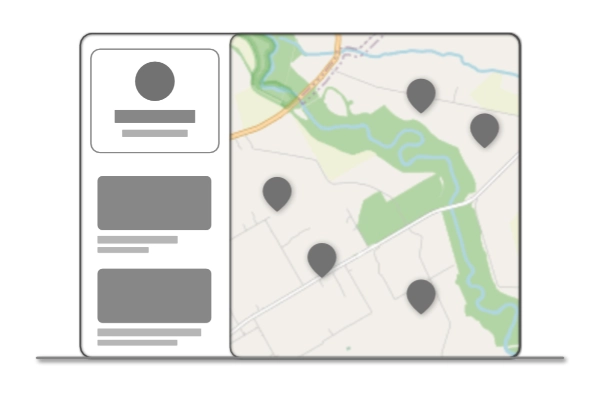
Creator page mockup to show what the general layout of a creator page resembles

Creator pages

Creator pages are how pilots and videographers can showcase their work and advertise their services, website, and contact information.

Creator pages are similar to YouTube Channels in that each user account can have many Creator pages. Videos are associated with Creators, not user accounts directly.

Make a Creator page now!

Video pages

Once you’ve made a Creator page, you can submit however many Video pages you like associated with your Creator page.

Sharing your videos on Whizthrough.com has many benefits, including creating a geographic dimension to your portfolio by posting your videos on a map, along with other creators around the world.

Each Video page can have one or more Client pages associated with it (see below), in order to create more value for those commissioning the videos.

Note: Video pages currently require a YouTube link for the video, one which you own or have a license to share. Check your YouTube settings to make sure that you have your videos set to allow embedding. 

Client pages

Increase value for the businesses and realtors who have commissioned your videos by creating a Client page for each client.

Each Video page can have one or more Client pages associated with it. On the Video page, visitors can see the client’s website, photo, and contact info.

Visitors can also then click the Client page to go to a page that showcases all the videos that this Client has commissioned on a map.

© All rights reserved.